Security Fundamentals
OSINT Checks for Online Property Listings: Photos, Domains and Headers in a Kali Lab
A defensive OSINT workflow for checking a property listing before you pay a deposit, using exiftool, whois, dig and curl in Kali to read photos, domains, headers and structured data.
Most OSINT tutorials start with people. This one starts with a house. Rental and property scams are one of the most common online frauds in Indonesia, and almost all of them follow the same shape: real photos, a fake contact, a deadline and a deposit. The good news is that a short, passive workflow in Kali can catch most of them before money moves.
Everything below uses public data — the listing page, the photos you were sent, DNS and WHOIS — and passive tools. No scanning, no logins, no poking at systems you do not own.
The threat model
Before running tools, know what you are testing for:
| Scam pattern | What it looks like | Check that catches it |
|---|---|---|
| Recycled listing | Genuine photos re-posted with a new phone number | Reverse image search |
| Cloned portal | Lookalike domain hosting a fake “booking” page | whois, DNS, TLS certificate |
| Payment link | Chat link to a page that asks for card or bank details | Domain checks, refusal to pay off-platform |
| Fake proof of payment | Screenshot sent to the landlord | Bank statement, not images |
Step 1: work on copies and keep evidence
Create a case folder and save what you have before you start:
mkdir -p ~/cases/listing-check && cd ~/cases/listing-check
curl -sL -A "Mozilla/5.0" -o listing.html "https://example-portal.test/listing-url"
Keep the original photo files if they were sent as documents. Images sent inline through chat apps are recompressed and lose most metadata.
Step 2: photos — reverse search first, metadata second
A reverse image search on Google Lens or TinEye is the highest-value check. If the same living room appears in another listing with a different city, price or agent, stop there.
Then read the metadata:
exiftool -a -G1 -DateTimeOriginal -Make -Model -Software -GPSPosition photo.jpg
How to read the result:
- No EXIF at all is normal for portal images, which are usually re-encoded. Many modern portals serve resized WebP copies, which carry no camera data.
- An original capture date years ago for a property described as “newly renovated” is worth a question.
- An editing tool in
Softwareis not suspicious by itself; agents brighten photos all the time.
Metadata is a supporting signal. Never accuse anyone based on EXIF alone.
Step 3: domains and links you were sent
Scammers like lookalike domains and short links. For any domain in a message, check how old it is, where it points and who issued its certificate:
whois suspicious-domain.test | grep -iE 'creation|registrar|expir'
dig +short A suspicious-domain.test
dig +short NS suspicious-domain.test
echo | openssl s_client -connect suspicious-domain.test:443 -servername suspicious-domain.test 2>/dev/null \
  | openssl x509 -noout -subject -issuer -dates
A domain registered last week that hosts a “payment confirmation” page for a house is a red flag. A free certificate is not; most legitimate sites use one too.
Step 4: read the portal’s own signals
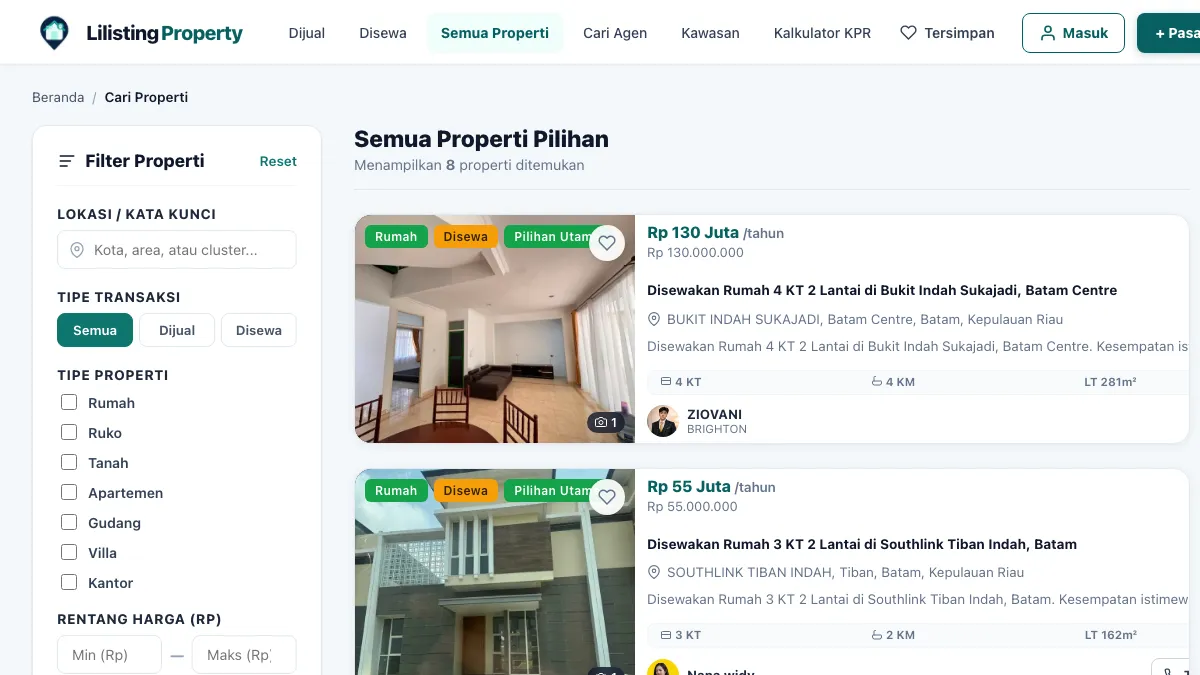
When a listing points to a real portal, the portal itself tells you a little about how it is run. A worked example with lilisting.com , an Indonesian property portal whose current listings are mostly in Batam:
curl -sI https://lilisting.com/ | grep -iE 'strict-transport|x-frame|x-content-type|referrer-policy'
At the time of writing it returns strict-transport-security: max-age=31536000, x-frame-options: SAMEORIGIN, x-content-type-options: nosniff and referrer-policy: strict-origin-when-cross-origin. Those headers protect visitors from downgrade and clickjacking tricks — signs of a maintained platform.
Two more passive reads are useful on any portal:
# Who may crawl what — and whether the site publishes AI content signals
curl -s https://lilisting.com/robots.txt | grep -iE 'content-signal|user-agent' | head

# Structured data the site declares about itself
curl -sL https://lilisting.com/ | grep -o '"@type":"[A-Za-z]*"' | sort | uniq -c
The robots file on that site carries Cloudflare-style Content-Signal lines (search allowed, AI training not), and its homepage declares Organization, WebSite with a SearchAction, and an FAQPage. None of this proves an individual advertiser is honest, but a cloned scam page rarely bothers to copy any of it.
The portal’s own copy is also explicit about limits: listing details come from the advertiser, and an update date is not proof of inspection or legal verification. That is exactly the boundary OSINT can’t cross for you.
Step 5: verify the human, offline
The final checks are not technical:
- Match the contact who messaged you against the agent profile on the portal. On Lilisting, the agent directory lists each agent with their active listing count; call the number shown there, not the one that messaged you.
- Inspect the property in person, or have someone you trust do it, before paying anything.
- Pay only to an account in the owner’s or agency’s name, with a written agreement.
If something already went wrong
In Indonesia, report to your bank first so it can request a block, then to the Indonesia Anti-Scam Centre run by OJK at iasc.ojk.go.id (operating since 22 November 2024), and file a police report. Your case folder from Step 1 is now your evidence pack.
Quick reference
reverse image   -> Google Lens / TinEye
photo metadata  -> exiftool -a -G1 photo.jpg
domain age      -> whois domain | grep -i creation
dns             -> dig +short A|NS domain
certificate     -> openssl s_client ... | openssl x509 -noout -dates
headers         -> curl -sI https://site/
robots / ld+json-> curl -s https://site/robots.txt ; grep '"@type"'
Passive, repeatable and quick: a fifteen-minute check is cheaper than a lost deposit.
Pertanyaan yang sering diajukan
Is it legal to run OSINT checks on a property listing?
Does stripped EXIF data mean a listing is fake?
What is the strongest single check?
Can a site with good security headers still host a scam listing?